
Zoom in on Any Profile Picture
Overview
Zoomer is a free iOS application designed to enhance the visual inspection of profile pictures across multiple social media platforms. It enables users to view profile images in their original resolution, without pixelation or blurriness, offering an unrestricted zoom experience. The app supports Instagram, YouTube, OnlyFans, Twitter, Snapchat, Tinder, and TikTok, allowing users to access high-quality images as they were originally uploaded. This functionality is particularly useful for those who want to examine details in profile photos, whether for personal curiosity, content verification, or creative inspiration.
The software operates independently and is not affiliated with any of the platforms it supports. This independence suggests a focus on user privacy and data handling, though specific details on data collection or storage were not provided. It is intended for general users seeking a straightforward tool to explore social media content more deeply. Real-world use cases include verifying image authenticity, studying design elements in profile photos, or simply satisfying curiosity about public profiles. The app’s ability to process URLs and usernames directly adds to its accessibility and ease of use.
Key Features & Capabilities
- Universal Profile Picture Zoom – Access and zoom into profile pictures from Instagram, YouTube, OnlyFans, Twitter, Snapchat, Tinder, and TikTok without limitations.
- Original Image Resolution – Display images in their native quality, preserving clarity and detail without pixelation or artificial scaling.
- Unlimited Zoom Capability – Explore every detail of a profile picture without restrictions on magnification level.
- Search by Username or URL – Enter a username or paste a profile link to instantly retrieve and examine the associated image.
- Independent Operation – Functions as a standalone tool not officially connected to any social network, minimizing reliance on platform APIs.
These features make Zoomer ideal for users who value clarity and control when viewing profile images. For instance, a content creator might use it to study visual branding in influencer profiles, while a researcher could analyze public-facing imagery for social trends. The ability to bypass platform-imposed image compression is a significant advantage for those needing high-fidelity visual data. The app’s interface appears optimized for quick access, allowing users to jump from search to zoom with minimal steps.
User Interface, Workflow & Performance
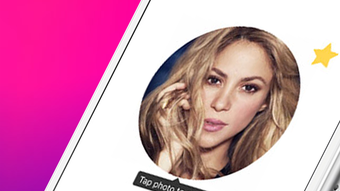
Zoomer features a clean, minimalist interface tailored for iOS devices, emphasizing speed and simplicity. Navigation is straightforward, with a central input field for usernames or URLs, followed by a direct view of the profile picture at full resolution. The zoom functionality is gesture-based, allowing intuitive pinch-to-zoom interactions. The workflow is efficient: enter a profile identifier, wait for image retrieval, then explore the image at any magnification level.
Performance details were not specified by the developer. However, based on general iOS app behavior, the app likely leverages device caching and optimized image rendering to maintain responsiveness. The 12.5 MB file size suggests a lightweight design, which may contribute to fast startup times and low background resource usage. The developer did not provide information on CPU or RAM consumption, nor did they mention stability under prolonged use. Users should expect standard iOS performance, with potential variations depending on device age and network conditions.
Compatibility & System Requirements
Zoomer is designed exclusively for iOS devices. It is compatible with the latest versions of the iOS operating system, as indicated by the software version 1.2.0. The app requires 12.5 MB of storage space for installation, which is minimal for a feature-rich application. The developer did not specify exact hardware requirements, such as minimum processor speed or RAM, nor did they list supported iPhone or iPad models.
Platform compatibility information is limited to iOS, and no details were provided about support for older or newer OS versions. Users should ensure their device is running a current version of iOS to avoid potential issues. The app’s dependency on internet connectivity for image retrieval means that performance may vary based on network speed and reliability. The developer did not clarify whether offline access to previously viewed images is available.
Pros and Cons
Pros
- Free to download and use with no in-app purchases
- Supports multiple major social platforms in one tool
- Delivers profile pictures in original resolution without blurring
- Unlimited zoom capability enhances detail visibility
- Simple interface with fast workflow for quick image access
Cons
- No official information on data privacy or data handling practices
- Unsupported on non-iOS platforms
- Exact system requirements not disclosed
- Performance under heavy usage not documented
- Dependent on external platforms’ public image availability
FAQ Section
Is Zoomer available for Android?
Zoomer is currently available only for iOS devices. There is no official Android version released or announced.
Does Zoomer store user data or profile images?
The developer did not provide information on data storage or retention policies. As an independent app, it may not retain user data, but this has not been confirmed.
How often does Zoomer update?
The app is at version 1.2.0, released on March 15, 2024. No details were provided on the update frequency or future release plans.
Is an internet connection required to use Zoomer?
Yes, an active internet connection is required to retrieve profile pictures from external platforms.
Can Zoomer be used offline?
There is no information available on offline functionality. The app likely requires online access to load images from social media sites.
Final Thoughts + CTA
Zoomer delivers a focused, no-frills solution for users who want to examine profile pictures in their original quality across a wide range of social platforms. Its ability to bypass image compression and offer unlimited zoom makes it a standout tool for those seeking clarity and detail. While it lacks transparency in areas like data privacy and system requirements, its free status and broad platform support offer strong value.
It is particularly beneficial for content creators, researchers, and curious users who frequently engage with public social media profiles. For anyone looking to explore profile images beyond standard app limitations, Zoomer provides a practical and accessible option. The app’s lightweight design and straightforward workflow enhance usability on iOS devices.
Download Zoomer now to view any profile photo in its original size and without zoom limitations on Instagram, YouTube, OnlyFans, Twitter, Snapchat, Tinder, and TikTok.







